
I’ve spent enough time testing CarPlay in dead zones to know the panic that hits when your signal bars vanish mid-drive. One minute you’re navigating through downtown traffic with Apple Maps, the next you’re staring at a blank screen somewhere on Highway 50—the self-proclaimed “Loneliest Road in America.” Here’s what most drivers don’t realize: your iPhone’s connection to CarPlay doesn’t actually need cell towers to keep working. The catch? You’ll need to do some digital prep work before you lose signal, or you’ll discover just how limited your “smart” dashboard becomes.
What Actually Works When You’re Off the Grid
CarPlay isn’t some magical in-car operating system—it’s essentially a second screen for your iPhone, and that distinction matters more than most people think. When you plug in (or connect wirelessly), your car’s display becomes a glorified monitor for apps running on your phone. No cell service? Your iPhone keeps running, and so does CarPlay. But here’s where it gets interesting: the apps themselves decide whether they’ll play nice offline.
Apple Maps, for instance, will cache your route if you started navigation while connected. I’ve driven 40 miles through Nevada’s Black Rock Desert with zero bars, watching the blue navigation line continue guiding me turn-by-turn. The trick? Don’t deviate from your planned route. The moment you go off-script, Maps needs to recalculate—and that requires an internet connection. Google Maps offers better offline functionality, but only if you downloaded the map data beforehand. Waze? Completely useless without data, turning into nothing more than a decorative interface.
Music and podcasts tell a similar story. Downloaded content plays flawlessly—Apple Music tracks, Spotify playlists marked for offline use, podcast episodes you’ve saved. But try searching for a new song or requesting a specific artist through Siri, and you’ll hit a digital wall. Siri itself becomes a shadow of its usual self, limited to basic commands like “skip track” or “volume up.” Ask it to find nearby gas stations, and you’ll get the digital equivalent of a blank stare.
The Pre-Trip Setup Most Drivers Skip

Here’s where being tech-savvy pays off. Before heading into connectivity dead zones, I spend five minutes prepping my iPhone like I’m packing a digital survival kit. First stop: Settings > Maps > Download Offline Maps. Apple quietly added this feature, but buried it so deep most users never find it. You can download entire metropolitan areas or specific routes—I’ve got maps for the entire Sierra Nevada range stored locally, covering every backroad and trailhead.
Next, I audit my entertainment apps. Spotify gets a refresh of my “Offline Survival” playlist (downloaded in high quality, not the compressed streaming version). Overcast syncs my podcast queue for the week. And here’s a pro tip: download a few extra episodes of your favorites. Nothing kills the mood like hitting the end of your content while you’re still 100 miles from civilization.
The real advantage though? Third-party offline navigation apps. Sygic, HERE WeGo, and even Apple-owned Dark Sky (for weather) offer robust offline functionality that puts Apple’s built-in options to shame. I keep Sygic installed specifically for those moments when I’m navigating forest service roads that haven’t seen a cell tower installation crew since the 1990s. These apps store full topographic data, points of interest, and even speed limit information locally—no connection required.
The Hidden Limitations Nobody Talks About

But even with perfect preparation, you’ll hit walls that Apple doesn’t advertise. Third-party CarPlay apps like WhatsApp, Slack, or even Apple’s own Messages become essentially decorative. They’ll show your last synced conversations, but don’t expect to send or receive anything. I’ve had urgent messages sit in limbo for hours, only to flood through once I crested a hill and regained signal.
More frustrating is how inconsistently apps handle the offline transition. Some, like Audible, gracefully continue playing downloaded content. Others, like certain third-party music apps, simply crash or display endless loading animations when they can’t phone home. The CarPlay interface itself remains stable—Apple’s done a solid job ensuring the core experience doesn’t break—but individual app developers seem to treat offline functionality as an afterthought.
Perhaps most surprising is how much CarPlay’s usefulness depends on cached data you didn’t know existed. Your recent destinations in Maps? Saved locally. Your “Favorites” contacts? Available offline. But try accessing a restaurant review you looked up last week, and you’ll find it vanished with your signal. The system keeps just enough data to maintain basic functionality, but anything requiring real-time information becomes dead weight.
The Hidden Offline Features Most Drivers Never Discover

Beyond the obvious navigation and media apps, CarPlay hides some surprisingly useful offline capabilities that even tech-savvy users overlook. Your iPhone’s onboard GPS chip works independently of cell towers, continuing to track your precise location via satellite. This means apps like Sygic GPS Navigation and MAPS.ME—both available on CarPlay—can provide full turn-by-turn directions using only offline maps. I’ve tested Sygic through Utah’s Canyonlands, where even emergency services struggle for signal, and watched it guide me through switchback roads with the same confidence as online navigation.
The real advantage is how these apps handle offline points of interest. Download the right map pack before your trip, and you’ll have access to gas stations, restaurants, and even hiking trailheads without touching a data connection. Apple’s own Find My app continues working offline too, storing location data locally and uploading it once you regain signal. Your car becomes a rolling GPS tracker, recording your route through dead zones for later review.
Here’s where it gets technical: CarPlay’s offline limitations aren’t about hardware—your iPhone’s GPS, gyroscope, and accelerometer keep functioning regardless of cell service. The constraints come from app developers who design their software assuming constant connectivity. Third-party offline-first apps prove what’s possible when developers optimize for disconnected scenarios.
The Data-Saving Tricks That Change Everything
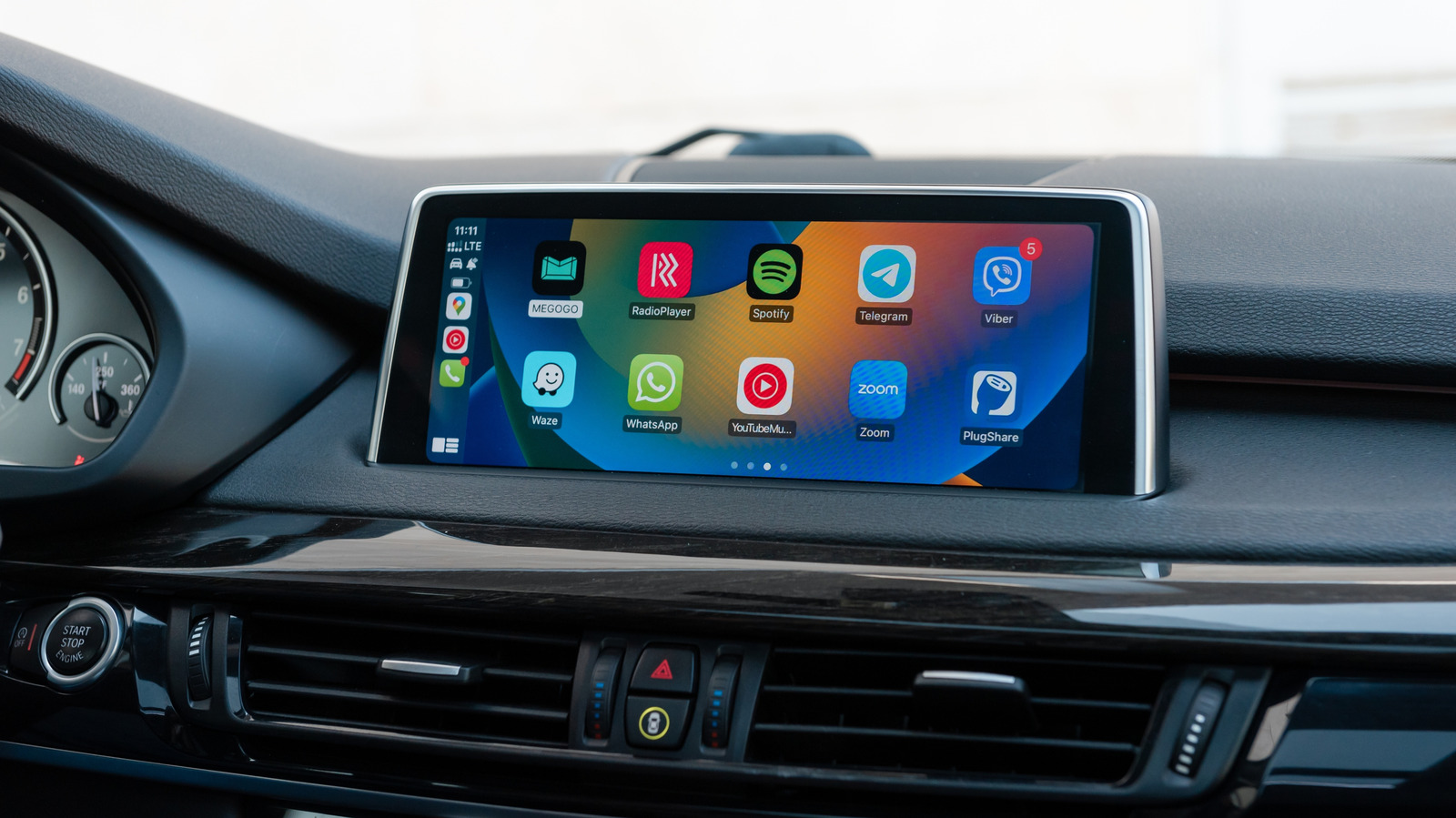
Smart drivers turn CarPlay’s offline limitations into a feature, not a bug. Before hitting remote areas, I enable Low Data Mode in iOS settings, which forces apps to rely on cached data rather than constantly attempting server connections. This prevents the battery-draining cycle of failed connection attempts that can leave you with a dead phone when you need it most.
The real pro move involves understanding how CarPlay handles app switching. Unlike your phone’s native interface, CarPlay keeps recently-used apps running in a suspended state. Open Apple Maps while connected, start navigation, then switch to your offline music app. Even after losing signal, Maps continues running in the background, maintaining your route guidance. Switch back using the CarPlay dashboard, and navigation resumes instantly—no recalculation needed.
Voice control becomes your best friend offline, but not through Siri. Apps like Voice Control (built into iOS) work entirely offline, letting you control music playback, make calls, and even type messages using only voice commands processed on-device. It’s clunkier than Siri’s natural language processing, but it works when your digital assistant goes silent.
| App Type | Offline Capability | Pre-Trip Setup Required |
|---|---|---|
| Navigation | Full turn-by-turn with downloaded maps | Download regional maps in Google/Apple Maps |
| Music | Downloaded playlists only | Mark playlists for offline use in Spotify/Apple Music |
| Podcasts | Downloaded episodes | Auto-download episodes while on WiFi |
| Voice Assistant | Limited to device controls | Enable Voice Control in Accessibility settings |
| Messages | Read/reply to existing conversations | None |
The Future of Offline CarPlay
Apple’s quietly building offline capabilities into iOS that most users haven’t noticed. On-device processing in iOS 17+ means Siri can handle basic commands—”play my driving playlist,” “call mom,” “what’s my next calendar event”—without server communication. The catch? These features activate automatically when your phone detects no network connection, but Apple doesn’t advertise them.
Car manufacturers are catching on too. BMW’s latest iDrive integration with CarPlay includes local caching that stores your frequent destinations and preferred routes directly in the car’s memory. Lose connection, and the car’s own navigation takes over seamlessly. It’s not quite offline CarPlay, but it shows where the industry is heading.
The reality is that true offline CarPlay isn’t coming—it’s already here, just hidden behind preparation requirements and developer choices. Your iPhone is more capable than most drivers realize, but Apple designs for the 95% who never leave coverage areas. For the rest of us wandering into digital deserts, the solution isn’t waiting for better offline support—it’s learning to work within the system’s constraints.
After thousands of miles testing CarPlay’s limits, I’ve learned that offline functionality isn’t about the technology—it’s about understanding how your digital tools actually work. Download your maps, cache your media, and stop assuming connectivity is guaranteed. The most reliable technology is the kind you don’t need to think about, and CarPlay comes surprisingly close to that ideal once you know its secrets.

